
Your YouTube video has a lot of places to go after you publish it. It might land in YouTube search, show up in a Google result or become part of an answer generated by an AI-powered search tool. The catch? Those platforms need clear signals to understand what your video is about and when it’s worth surfacing.
That puts YouTube optimization to work far beyond your channel. Explore 9 practical strategies for helping your videos get discovered, earn engagement and stay useful across YouTube, Google and the increasingly crowded world of AI search.
What is YouTube SEO?
YouTube SEO is the practice of optimizing your videos so they’re easier for search engines (and the people using them) to find. That means more than sprinkling keywords into a title. It involves optimizing the video itself, along with metadata and engagement signals that help platforms understand what your content covers and how viewers respond to it.
Think of it as giving your video better directions to the right audience:
- A clear, relevant title can help establish the topic.
- A useful description and accurate transcript can provide more context.
- Engagement signals can help indicate whether viewers find the content worth watching.
These optimizations can improve your chances of appearing in YouTube search and recommendations while also making your content easier for Google and other search experiences to understand.
Subscribe to
The Content Marketer
Get weekly insights, advice and opinions about all things digital marketing.
Thank you for subscribing to The Content Marketer!
Using YouTube SEO and AI Search Visibility Strategies
A YouTube SEO strategy is a plan for making your videos easier to discover and understand across search platforms. The old familiar SEO playbook still applies, but AI-powered search adds a new wrinkle: Your content needs to make sense to people and machines.
That means your video must communicate its topic clearly wherever it appears. The video itself, along with the information around it, can help AI systems figure out what it covers and when it’s relevant to a query.
Think of it as leaving a clearer information trail. The better your video communicates what it’s about and why it matters, the more ways search platforms have to connect it with the right audience.
9 Ways To Optimize YouTube Videos in 2026
There’s no magic keyword, secret setting or button you can press to send your video straight to the top of search results. Improving your YouTube video ranking comes down to getting a series of smaller things right — from choosing a topic people actually search for to optimizing the video and everything surrounding it.
And those optimizations can pull double, triple or even quadruple duty:
- A well-chosen keyword can help with YouTube discovery.
- A clear title can help viewers understand what they’re getting.
- Useful, well-structured content can give Google and AI-powered search more to work with.
Here are 9 practical ways to develop an effective YouTube strategy and optimize YouTube content for stronger visibility in 2026.
1. Start With YouTube Keyword Research
Stop guessing what your target audience wants to find; instead, see what they’re already searching for. YouTube autocomplete makes this easy: Enter a relevant topic and look for common phrases and more specific searches that pop up. Then bring in Google Trends to compare keywords, see where interest is strongest and identify terms that align with search intent.
From there, choose a primary keyword and work it naturally into the title and description. Add related terms when they add useful info. Remember, you’re giving YouTube context, not filling out a keyword bingo card.
2. Create Strategic Playlists
Don’t let your videos become a pile of unrelated uploads. Group related videos into themed playlists that give viewers an easy way to keep watching.
Say your channel covers content marketing. You might have separate playlists for SEO, content strategy and social media, with each one bringing together videos that naturally belong in the same conversation. That makes it easier for viewers to find their next watch and gives YouTube more context about the topics your channel covers.
Think of playlists as a trail of breadcrumbs — one useful video leading naturally to another.
3. Optimize Your Video Titles and Thumbnails
Nobody clicks a video because the keyword was perfectly optimized. They click because the title and thumbnail caught their attention and made the video look worth their time. Use your primary keyword naturally in the title, then make the value of the video obvious. Relevant keywords can also appear in the description and file name to give search platforms more context.
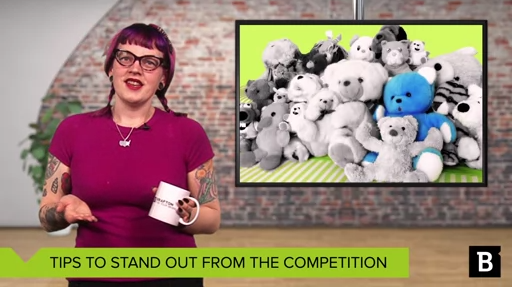
Then make your video thumbnail do some heavy lifting. It should be visually distinctive, easy to understand at a glance and connected to the actual content. Take a look at this Brafton video, for example. The thumbnail quickly establishes the topic and creates a recognizable look.
Search can get your video in front of someone. Your title and thumbnail have to make them want to click.
4. Write Optimized Video Descriptions
Your video may be the star, but your description still has an important role to play. Think of it as the supporting cast: It gives search engines more context about your topic and helps connect your video with relevant searches.
Start with a quick, useful summary of what the video actually covers, then work in your primary keyword and related terms where they fit naturally. You can also use the space to give viewers a little more direction — add timestamps, links to relevant resources or a quick rundown of the key takeaways.
Just don’t turn the description into a keyword obstacle course. Write for a person first, then give search engines enough context to follow along.
5. Use Tags and Hashtags the Right Way
Here’s where restraint pays off. Tags and hashtags can help categorize your video and reinforce what it’s about, but stuffing them with every vaguely related keyword won’t make your content more relevant. Choose tags that closely match the video’s topic, including:
- Useful variations.
- Related phrases.
- Specific terms that make sense for the content.
For hashtags, stick to a few relevant topics that can help connect your video with related content and searches.
Just be sure to keep everything closely tied to the actual video. If a tag wouldn’t make sense to someone who watched the video, it probably doesn’t belong there.
6. Upload Clean Captions and Translated Subtitles
Give your viewers the words, too. Clean, accurate captions make videos easier to follow whether someone is watching with the sound off, reading along or trying to decipher a technical term that flew by a little too quickly. They also give search platforms another source of text and context to help them understand your content.
Have an international target audience? Add translated subtitles in the languages that make sense for your viewers. You’ll make your content more accessible while giving people searching in other languages another way to discover it.
Just give those captions a quick once-over before you hit publish. Names, jargon and industry terms have a funny way of becoming something completely different when auto-generated captions get involved.
7. Boost Watch Time: The 7-Second, 30-Second and 8-Minute Rules
Think of the first few seconds as your audition. If viewers don’t see a reason to stick around, they can swipe, scroll or click away before you’ve even gotten to the good stuff.
You’ll often hear the 7-second, 30-second and 8-minute rules tossed around in YouTube strategy. They aren’t official ranking requirements, but they’re useful benchmarks for thinking about attention and retention:
- 7 seconds: Give viewers a reason to stay. Lead with the hook, the payoff or the problem you’re about to solve — not a lengthy introduction.
- 30 seconds: Keep the momentum going. If you’ve promised an answer, start delivering it. Viewers shouldn’t have to sit through a five-minute warm-up.
- 8 minutes: Videos that reach 8 minutes can be eligible for mid-roll ads. That makes 8 minutes relevant for monetization, but it doesn’t make it the perfect number for performance. Don’t stretch a short idea just to hit the mark.
To improve watch time and engagement, keep the story moving and give viewers a reason to care about what comes next. Cut repetition, tighten slow sections and use visuals or pacing changes when they add something to the experience.
The trick isn’t making people watch longer. It’s giving them fewer reasons to leave.
8. Use End Screens, Cards and Playlists To Grow Your Channel
Don’t let a video end with a dead stop. Give viewers somewhere useful to go next.
End screens, cards and playlist recommendations can keep viewers moving through your content instead of sending them back to the search bar. The trick is making each recommendation feel relevant to what they just watched.
A video about YouTube keyword research could point viewers toward a follow-up on titles and descriptions, while a beginner tutorial might lead into a more advanced walkthrough.
9. Track Performance in YouTube Studio
Publishing a video is only half the job. Once it has some data behind it, head into YouTube Studio and look for clues about what’s working, what’s falling flat and what you can improve next time:
- Start with click-through rate: See whether your title and thumbnail are earning clicks when your video appears in search or recommendations.
- Check audience retention and watch time: Look at average view duration, watch time and audience retention to see where viewers stick around and where they start dropping off.
- Compare your videos: Look for patterns across uploads. If certain topics, formats or thumbnails consistently perform better, use those insights to inform your next video.
Your analytics won’t magically tell you what to make next, but they can point you in the right direction. Treat every video as a learning opportunity, keep what works and use what you learn to make the next one smarter.
Get Your YouTube Videos Seen and Ranking Highly
Your YouTube strategy doesn’t need to be complicated. It just needs to be intentional.
Start by finding out what people are actually searching for. Give your titles and thumbnails a reason to earn the click, make your descriptions pull their weight and keep viewers moving once they press play. Then, when the views start rolling in, let the data show you what’s working and what could use adjustments.
And remember, your video isn’t living in a YouTube-only world. The clearer you make its topic, context and value, the easier it is for Google and AI-powered search to understand what your content is about and when it belongs in the conversation.
The algorithm isn’t your audience. People are. Give them something they want to find, watch and keep watching, and you’ll give the algorithm some pretty good reasons to take notice, too.